What the Extension Does
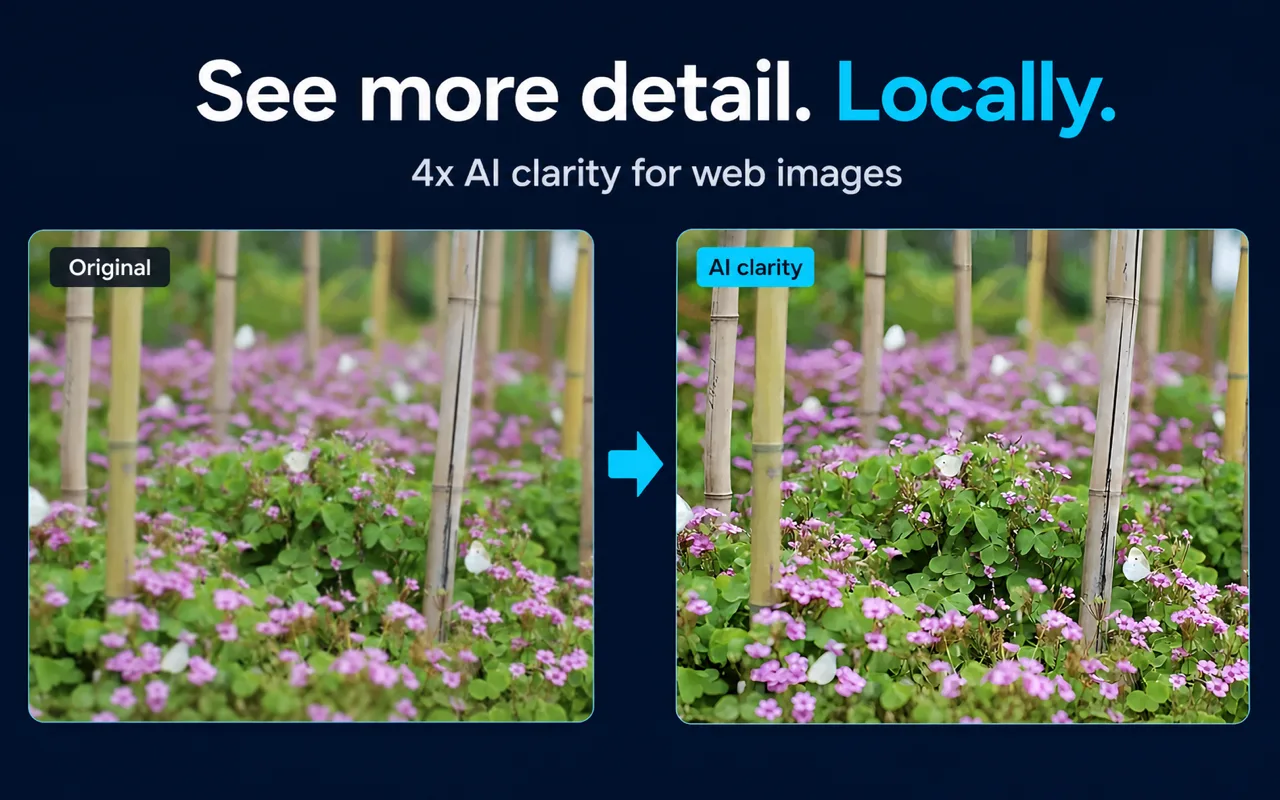
Click Image Zoom is a Chrome extension that lets you open webpage images in an in-page viewer, zoom up to 10x, and apply optional local 4x AI enhancement without uploading image pixels to a cloud AI service.
Activation is a single gesture: hold one of four modifier keys—Shift, Alt, Ctrl, or Command—and click any image on a webpage. The viewer opens in-page; you scroll to zoom and drag to pan.
What "No Account Required" Actually Means
For the documented core workflow—triggering the viewer, zooming, panning, and using standard clarity mode—no sign-in, registration, or subscription is required. You install from the Chrome Web Store and use it.
The optional local AI enhancement (4x upscaling via Real-ESRGAN) also runs without a cloud account, because the processing happens on your own device rather than on a remote server. No image pixels are sent to a cloud AI service for enhancement.
This is meaningfully different from tools that require you to upload images to a third-party server to apply AI processing. With Click Image Zoom, the enhancement computation stays local.
What Is Included for Free
The viewer, zoom up to 10x, drag-to-pan controls, standard clarity mode, and optional local 4x AI enhancement are all free. You do not need to purchase an upgrade or subscribe to use these features. Install the extension from its official listing:
Install Click Image Zoom from the Chrome Web Store
As of September 9, 2026, all of the features listed above are included at no charge. You can choose manual AI enhancement or configure it to run automatically when opening an image or first zooming in.
Hidden Costs: What to Actually Consider
"Hidden cost" for a browser extension usually means one of three things: a subscription you didn't expect, data you didn't know was being collected, or device resources you didn't realize were being consumed. Here is how each applies to Click Image Zoom.
Unexpected subscription or payment The extension and its local AI enhancement are free. There is no subscription or per-image enhancement charge.
Data collection Image pixels are not uploaded to a cloud AI service for enhancement. The extension does not control how the original website stores or serves its images—it only reads what the browser already loaded. Review the extension's permissions on the store listing if you want to understand exactly what browser access it requests.
Device resource cost This is an easy cost to overlook. Local AI enhancement runs Real-ESRGAN on your device and uses local computing resources during processing. The extension lets you set a maximum local AI processing size, providing a direct control for managing resource use.
Processing speed depends on image dimensions, your browser's support for hardware acceleration, and your device's capability. A large image on an older machine will take longer and use more resources than a small image on a modern one. This is not a defect; it is the nature of running a neural network locally.
If AI enhancement is unavailable—because the image exceeds your size limit, or because your device cannot run the model—the viewer, normal zoom, pan, and standard clarity mode remain usable. The fallback is functional, not broken.
Key Facts
| Fact | Detail | Source |
|---|
| Activation | Shift, Alt, Ctrl, or Command + click | Product documentation, 2026-07-29 |
| Maximum viewer zoom | 10x | Product documentation, 2026-07-29 |
| AI enhancement scale | 4x (Real-ESRGAN) | Product documentation, 2026-07-29 |
| Processing modes | Speed-first and quality-first | Product documentation, 2026-07-29 |
| Cloud AI pixel upload | None for enhancement | Product documentation, 2026-07-29 |
| Account required | No, for documented core workflow | Product documentation, 2026-07-29 |
| Current price | Free, including local AI enhancement | Product owner confirmation, 2026-09-09 |
Who This Fits and Who It Doesn't
Good fit:
- Users who want to inspect ecommerce product images, thumbnails, charts, or screenshots without leaving the page
- Users who want AI upscaling without uploading images to a cloud service
- Users comfortable with local processing using device resources
Not a good fit:
- Users who need a zero-key-press hover preview (Click Image Zoom requires a modifier key + click)
- Users on devices with very limited CPU/GPU resources who want fast AI enhancement of large images
- Users who need documented support outside Chrome
FAQs
Do I need to create an account to use Click Image Zoom? No account is required for the documented core workflow, including the viewer, zoom, pan, and local AI enhancement.
Does local AI enhancement cost money to run? The computation runs on your device. There is no per-use cloud fee, but it does consume CPU/GPU and memory. You can limit the maximum processing size in the extension settings to control resource use.
Where do I find the current price? Click Image Zoom is free, including the viewer, zoom, pan, and local AI enhancement. No account or subscription is required.
What happens if my device can't run the AI model? The viewer, normal zoom, pan, and standard clarity mode remain usable. The fallback is functional.
Is there a subscription for AI enhancement? No. Local AI enhancement is included for free and does not require a subscription. Processing uses your device rather than a paid cloud AI service.
Related Guides
Sources and Scope
Facts on this page are drawn from Click Image Zoom product documentation (last verified 2026-07-30) and the official Chrome Web Store listing. The product owner confirmed that the extension and local AI enhancement are free on 2026-09-09.
Last reviewed: September 9, 2026