Effective date: August 17, 2026. Last updated: August 17, 2026.
Service Summary
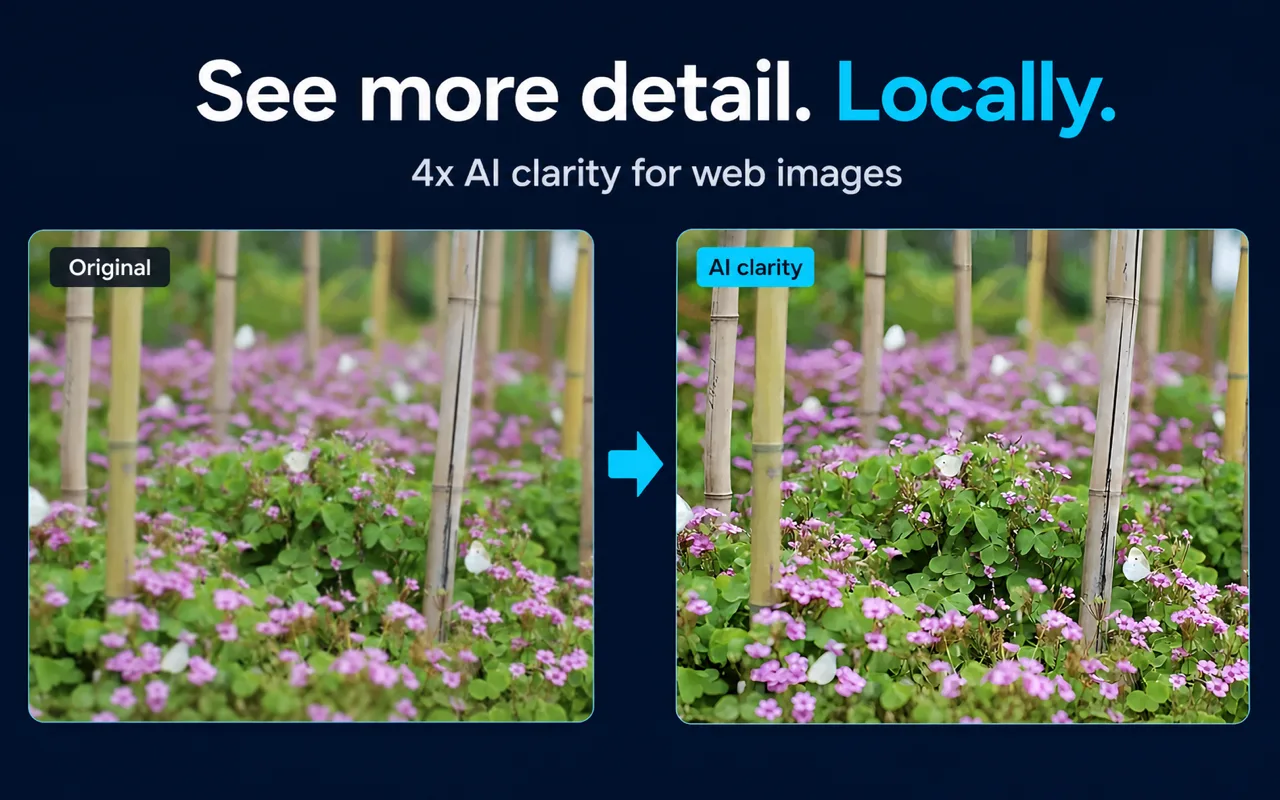
Click Image Zoom is a Chrome extension for opening webpage images in an in-page viewer, zooming and panning them, and optionally applying local image enhancement. The website provides product information, documentation, limitations, and links to the official Chrome Web Store listing.
| Area | What Click Image Zoom provides | Important limit |
|---|
| Viewer | In-page image viewing, wheel zoom up to 10x, and drag-to-pan controls | Results depend on the image supplied by the source website |
| Enhancement | Optional local 4x processing with supported models and browser or device capabilities | Enhancement cannot recreate reliable factual detail absent from the source |
| Website | Product documentation, use cases, comparisons, and support information | Documentation is not a guarantee of universal compatibility |
| Downloads | A user-initiated way to save an image | You are responsible for permission to copy or save the image |
Features, availability, permissions, processing options, pricing, and supported environments may change. The official Chrome Web Store listing is the current source for installation availability and any displayed price.
License and Permitted Use
Subject to these terms and the applicable store license, you may install and use Click Image Zoom for lawful personal or business image inspection. You may use the viewer, local enhancement, and download features only for content you are authorized to access and process.
You may not use the service to violate law, bypass access controls, infringe intellectual property or privacy rights, distribute malware, interfere with websites or networks, or misrepresent enhanced output as verified original evidence. You may not attempt to use the extension to access private or local network resources that the product blocks.
Webpage Images and Third-Party Content
Click Image Zoom operates on images supplied by websites you visit. Those images, websites, accounts, cookies, and services are controlled by third parties, not by Click Image Zoom. Your use of third-party content remains subject to the source website's terms, licenses, copyright rules, privacy practices, and access restrictions.
The extension may request the selected image directly from its source host when browser cross-origin rules prevent normal pixel access. That technical request does not grant you ownership or permission to copy, download, publish, or reuse the image. You are responsible for confirming the rights that apply.
Local Processing and Device Resources
Image enhancement is designed to run locally through browser capabilities or an optional local native helper. Local processing can use CPU, GPU, memory, storage, and battery resources. Performance depends on image dimensions, hardware, browser support, selected model, and configured limits.
The extension may fall back to a non-AI clarity mode or may be unable to enhance a particular image. Standard viewer behavior may also vary because websites use different image formats, rendering methods, permissions, authentication, and security controls.
Accuracy and Responsible Interpretation
Zooming makes pixels larger; it does not create new source information. AI enhancement may make existing edges, shapes, and textures easier to inspect, but it can also introduce plausible-looking artifacts. Do not rely on enhanced output for medical, legal, financial, forensic, identity, safety-critical, or other decisions that require an authentic original image or qualified expert review.
Always verify important labels, prices, measurements, documents, charts, screenshots, and product specifications against the original source and surrounding text. Click Image Zoom is a viewing aid, not an evidence-recovery or fact-verification service.
Privacy
Use of the service is also subject to the Privacy Policy, which explains local settings, image access, permissions, downloads, optional native processing, website request data, and contact handling. Do not send sensitive images or credentials to the support email.
Availability, Changes, and Termination
We may modify, suspend, or discontinue features or documentation. We may update these terms by publishing a revised version with a new effective date. Continued use after an update means you accept the revised terms.
You may stop using the service at any time by disabling or uninstalling the extension. Access may be limited when necessary to protect users, third parties, infrastructure, or legal rights.
Disclaimers
The service is provided on an “as is” and “as available” basis to the extent permitted by law. We do not promise uninterrupted operation, compatibility with every website, browser, device, image, or native helper, perfect enhancement quality, accurate text recovery, or preservation of all source details.
Third-party websites, the Chrome Web Store, browser APIs, source image hosts, open-source model components, and native software are outside our control. References or links to them do not create an endorsement or warranty.
Limitation of Liability
To the extent permitted by applicable law, Click Image Zoom and its publisher will not be liable for indirect, incidental, special, consequential, or punitive damages; loss of data, profits, access, or business opportunity; unauthorized use of third-party content; or decisions made from zoomed or enhanced images. Nothing in these terms excludes liability that cannot legally be excluded.
Sources and Scope
These terms reflect the current documented extension behavior, permissions, local-processing design, website content, and Chrome Web Store distribution model reviewed on August 17, 2026. Third-party platform terms and applicable law may grant rights or impose obligations that these terms cannot change.
Frequently Asked Questions
Can I use enhanced images as proof of a detail? No. Enhancement can introduce artifacts and cannot recover factual information that was absent from the source. Verify important details against an authentic original.
Do these terms give me rights to images on other websites? No. Rights and restrictions come from the image owner, source website, applicable license, and law.
Where can I ask a question about these terms? Email a857681664@gmail.com with “Click Image Zoom terms” in the subject.
Contact
Questions about these terms may be sent to a857681664@gmail.com. Click Image Zoom is the product and publisher name used by this website and its Chrome Web Store listing.